5 p.m. on a Wednesday, and dinner was decided on Sunday.
The Supperplot Dinner Planner starts you from a week of dinners that's already planned. Swap what your family won't eat, set the servings, and walk into the store with your shopping list grouped by section, in the order you shop, with the amounts already added up.
The backpacks are on the floor. Someone wants a snack. The fridge door is open, and you're reading what's inside like a menu that keeps changing: half an onion, a pack of chicken thighs, tortillas, a yogurt nobody claims.
Nobody is doing anything wrong here. Dinner just gets decided now, every day, at the hour with the least energy for deciding. And when tonight's answer needs one thing you don't have, it's back to the store.
Batch Menuing
Watch where the hour goes. The cooking takes as long as the recipe takes. The rest goes to choosing: what's in the fridge, what the kids will eat tonight, whether there's time, whether someone has to run out.
Batch Menuing moves the choosing. You make the week's dinner decisions together, in one sitting, on the day you pick. And you don't start from a blank week: Supperplot hands you a week that's already planned, so the sitting is about swapping, not inventing.
When you're done, the planner adds up the ingredients of every dinner on the board and gives you your shopping list, grouped by section in the order you shop.
Here's one week of it, from Sunday to Wednesday.
Sunday, 7:30 p.m.: the week gets decided
Silent screen recording of the planner in one take, starting from a planned week. Sample week.
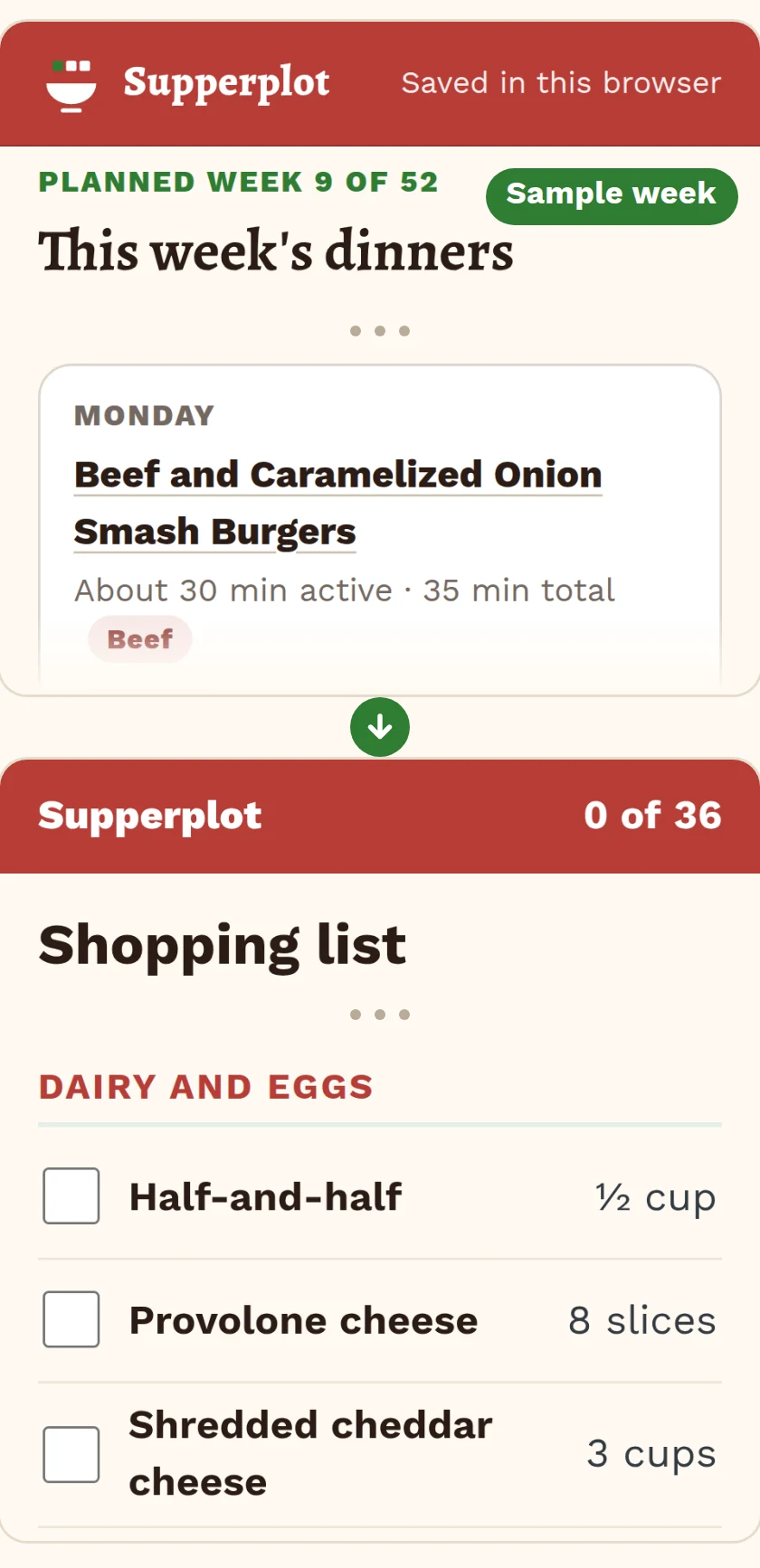
You open week 9 of the 52 planned weeks. Five dinners are already on the board:
Monday: Beef and Caramelized Onion Smash Burgers
Tuesday: Stuffed Bell Peppers with Rice and Beans
Wednesday: Black Bean and Cheddar Quesadillas with Corn Salsa
Thursday: Chicken Enchilada Skillet
Friday: Tuna Melts with Quick Tomato Soup
Saturday and Sunday stay open, for leftovers or whatever is in the pantry.
The stuffed peppers won't fly with your crew, so you swap Tuesday. The planner suggests dinners that use ingredients already in the week first, so the week keeps sharing its groceries. You pick Bean and Cheese Burritos Smothered in Red Sauce: 7 of its ingredients are already in the week, from the black beans to the enchilada sauce.
Servings stay at four, the size every recipe is written for. Then you open your shopping list.
Monday, 5:45 p.m.: the store
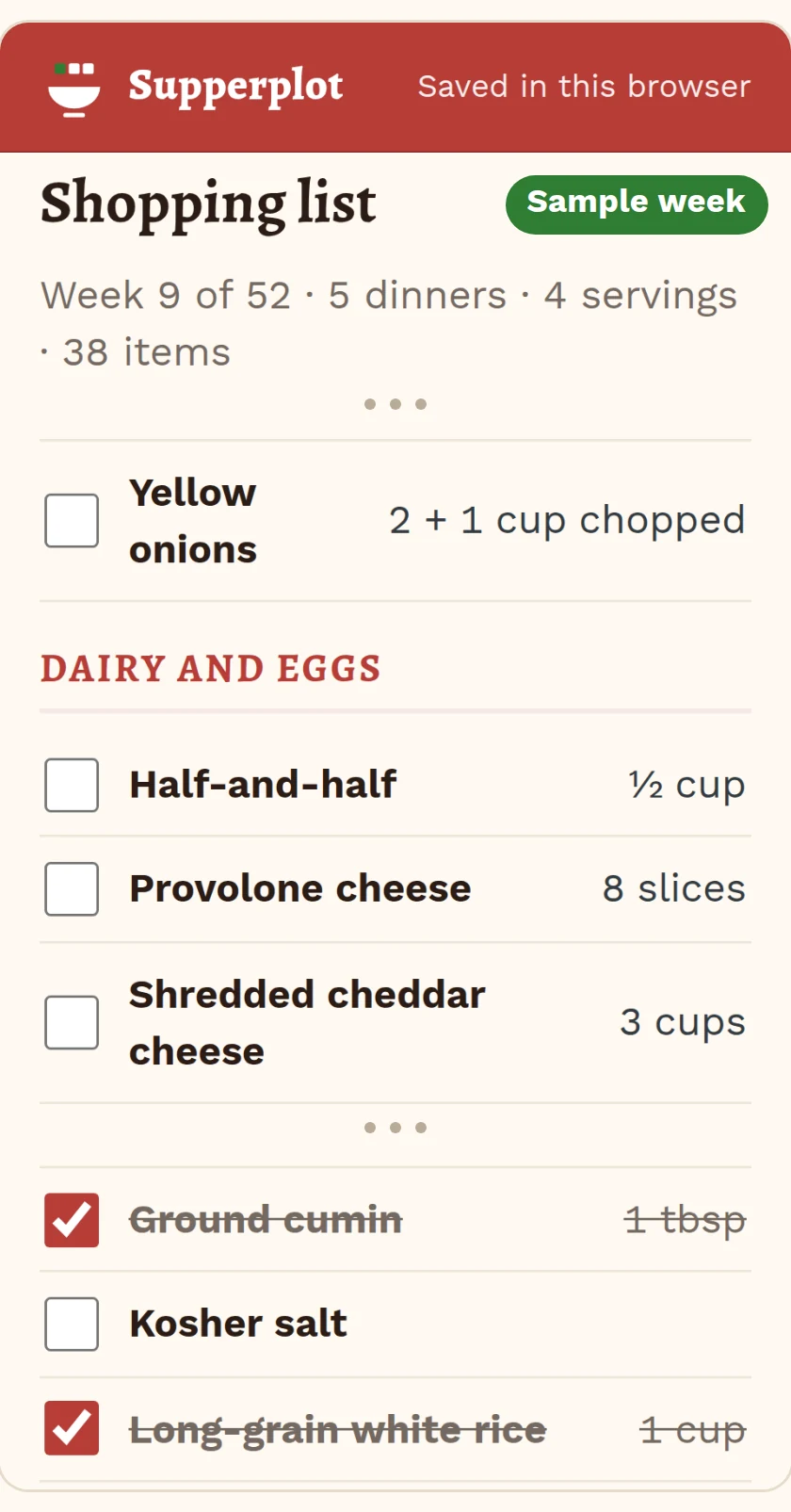
Shopping list from a sample week.
The list is on your phone, opened with a link or a QR code from the planner. Nothing to install.
It's grouped by section: produce, meat and seafood, dairy and eggs, pantry, frozen, bakery, and other. The sections come in the order you set the first time, so the list follows your store, and the planner keeps that order for every week after.
Where two dinners need the same ingredient in units that match, the list adds them up: the 1 cup of shredded cheddar in Wednesday's quesadillas and the 2 cups in Thursday's skillet show up as 3 cups. Where the units don't match, like the 2 onions for Monday's burgers and the cup of chopped onion for Thursday's skillet, both amounts sit on the same line, so you see the full amount you need.
Rice already in the pantry? Check it off before you leave. Every dinner of the week is on the list, so you're not going back for the thing you forgot.
Tuesday, 6:10 p.m.: the swap you made
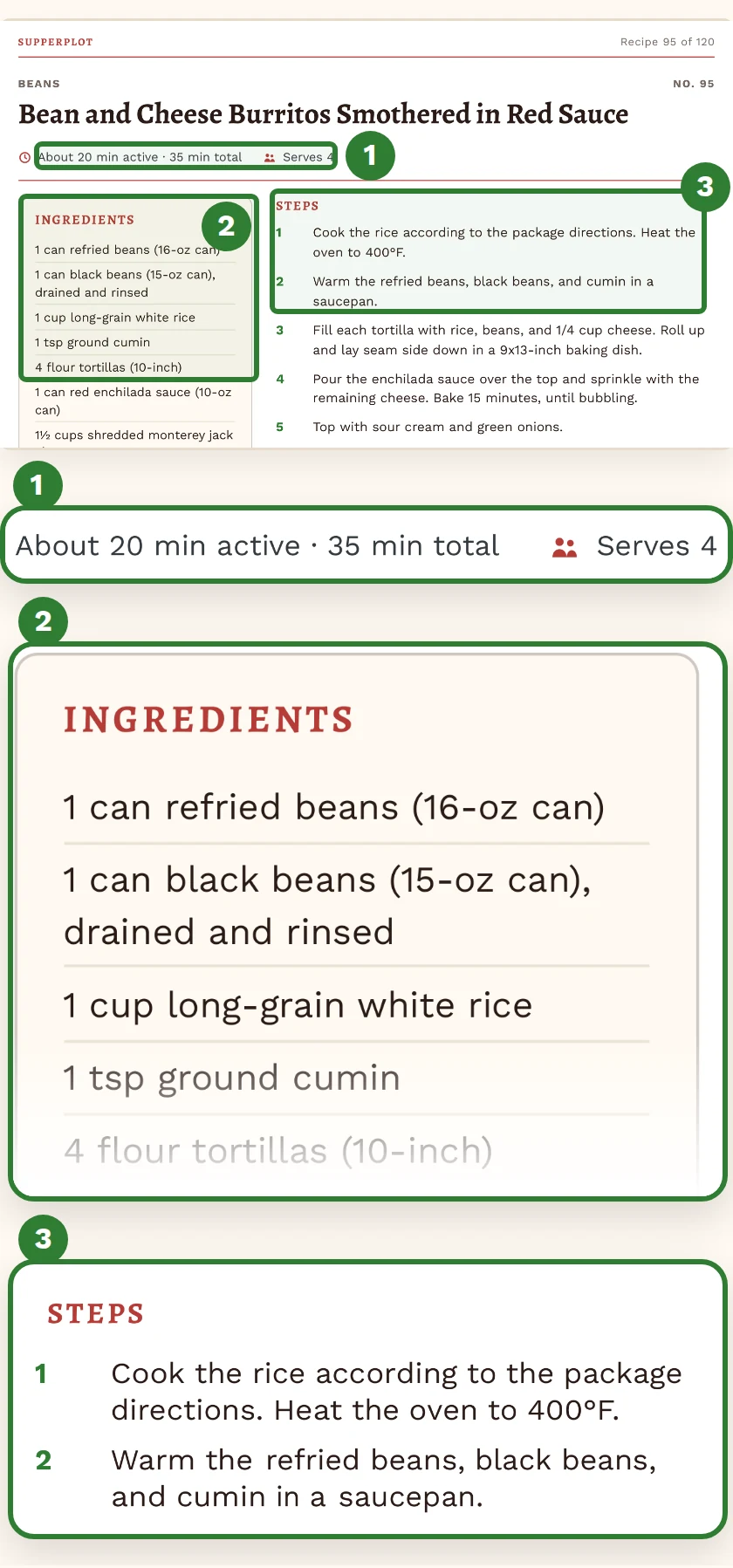
A recipe card, as a PDF page.
Tonight is the dinner you swapped in on Sunday: the bean and cheese burritos, rolled and baked under red sauce. Its recipe card is in the planner and in the PDF: ingredients in standard US measurements, clear steps, and approximate active and total times.
The week-at-a-glance sheet is on the fridge door, so "What's for dinner?" has an answer anyone in the house can read.
Wednesday, 5:00 p.m.
Same hour. The backpacks are on the floor again.
The difference is that nobody is reading the fridge like a menu. Tonight's quesadillas are on the sheet, and their ingredients came home on Monday.
That's Batch Menuing. The decision didn't get smaller. It moved to Sunday.
The Counter-Space Test
Plan a week, then another. If Supperplot doesn't earn its spot on your counter, email us within 30 days; refunds go out within 2 business days.
30-day money-back guarantee on every purchase: email [email protected] within 30 days of that purchase and you get a full refund for it. No forms. No questions. We issue your refund within 2 business days of your request. How long it takes to show up on your statement depends on your card issuer.
On the counter when you open it
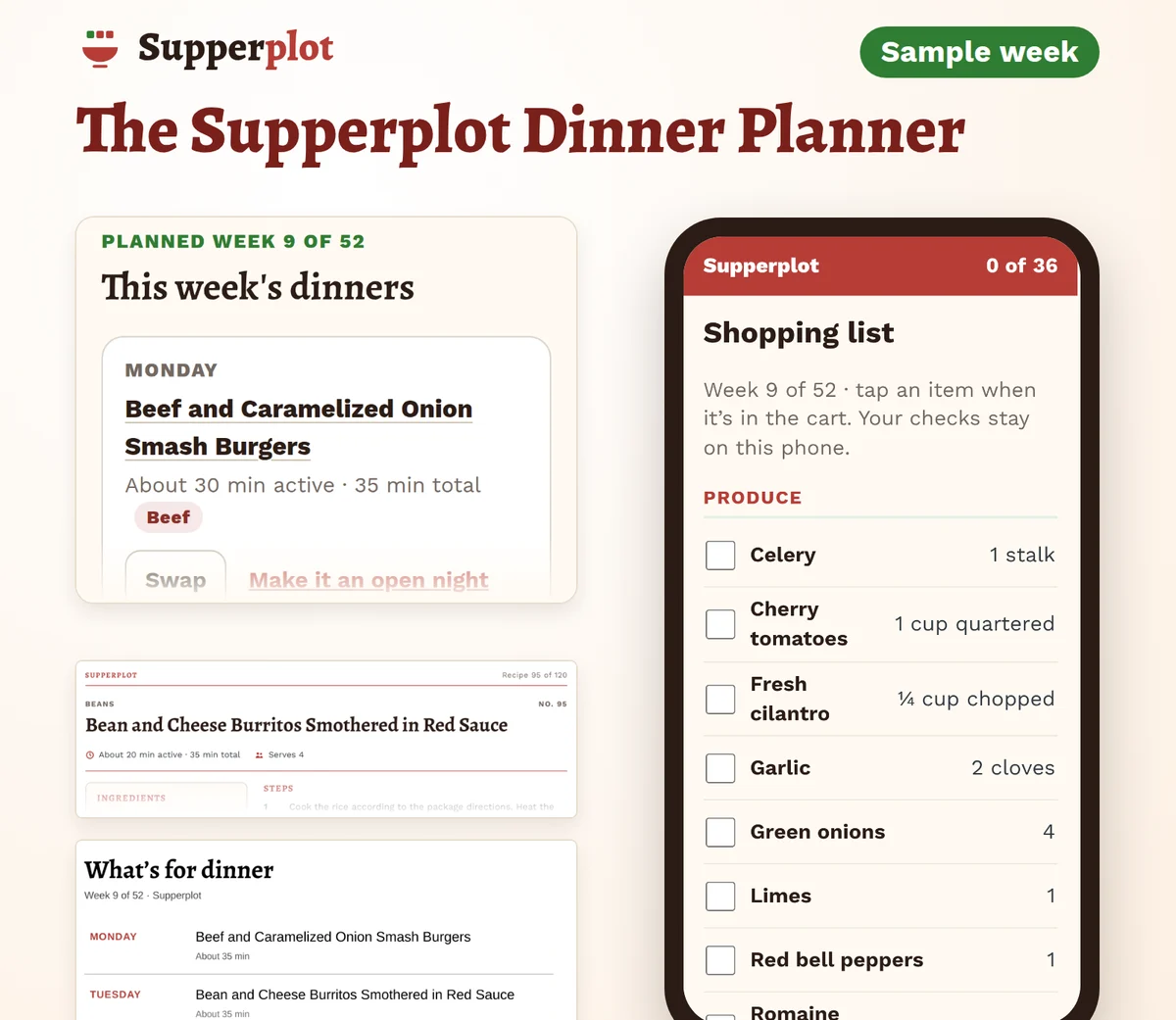
Product mockup.
The Supperplot Dinner Planner
$47 USD, one-time payment. No subscription, no renewal.
The planner. A 7-day board in your browser. Start from a planned week or a blank one, swap dinners, and set servings from 2 to 8.
Your shopping list. Grouped by section in the order you set, with amounts added up where the units match. Check off what you have. Print it, or open it on your phone with a link or QR code.
52 planned weeks. 5 dinners and 2 open nights each, built so ingredients carry over within the week. Plus a PDF index.
120 weeknight recipes, written for Supperplot. US measurements, clear steps, approximate active and total times, 4 servings each. In the planner and as PDF recipe cards.
A week-at-a-glance sheet for the fridge door. The planner prints it with your week filled in, and a blank one comes as a PDF.
Backup file and CSV, downloaded straight from the planner. The list and the fridge sheet print, or save as a PDF from your browser's print window.
Email support for 12 months from purchase.
Start from a week of dinners that's already planned, swap what your family won't eat, and walk into the store with one list, grouped by section in the order you shop, with the amounts already added up. Pay once.
Your access link arrives by email right after payment. Downloads are yours to keep. The online planner stays available on your access page for at least 12 months from purchase; your data is saved in your browser, and you can export a backup file anytime.
One sitting this week, and Thursday's dinner is already decided.
30-day money-back guarantee on every purchase: email [email protected] within 30 days of that purchase and you get a full refund for it. No forms. No questions. We issue your refund within 2 business days of your request. How long it takes to show up on your statement depends on your card issuer.
What it doesn't do: it doesn't plan around diets, allergies, calories, or medical needs, and it doesn't order groceries for you. Every recipe shows its full ingredient list, so you can check it. There are no photos of the dishes.
What you'll need: a web browser on a computer or phone. A printer is optional.
Questions
Do I have to use the planned weeks?
No. Start from any of the 52 and change as much as you like, or start from a blank week and fill it from the 120 recipes. A week holds up to 7 dinners.
My kids eat about five things. Will this work for us?
Swap any dinner in a planned week. When you swap, dinners that use the week's ingredients come up first, and the 2 open nights are there for leftovers or the family standbys. We can't promise the vegetables get eaten.
How does the list add things up?
When two dinners use the same ingredient in units that convert, like cups and tablespoons or pounds and ounces, the list shows one total. When they don't convert, like 2 onions and 1 cup of chopped onion, both amounts stay on the same line, so nothing gets dropped.
My store's aisles aren't in that order.
Set the section order to match your store the first time you open a list. The planner keeps it for every list after.
Can I get the list on my phone?
Yes. Open it with the link or the QR code the planner gives you. There's no text message and no app to install.
Is this a subscription?
No. $47 is the whole price, and nothing renews. Supperplot doesn't send a new menu every week: you get the 52 planned weeks and the 120 recipes, and you plan from them.
There are free meal-planning apps. Why pay?
If you like building every week from scratch, a free app may be all you need. Supperplot is for the weeks you'd rather start from a plan: the week comes already decided, and you change what doesn't fit.
Does it work for allergies, diets, or counting calories?
No. The recipes weren't written for that, and the planner doesn't track nutrition. Every recipe shows its full ingredient list, so you can check it against what your family needs.
Are there photos of the food?
No. The recipe cards are text pages with the ingredients, the steps, and the times.
What if I switch computers or phones?
Your planner data is saved in your browser. Export a backup file and open it on the other device. The planner doesn't sync between devices on its own.
How long can I use the planner?
The online planner stays available on your access page for at least 12 months from purchase, and the PDFs you download are yours to keep.
Questions before you buy?
Questions? Email [email protected]. We reply within 2 business days.
This Sunday
Pick a planned week. Swap what won't work. Open the list. By Wednesday at 5, dinner is already on the fridge door.
The Supperplot Dinner Planner — $47 USD, one-time payment